Authentification OAuth avec GitHub
OAUTH dans la vraie vie
Plusieurs sites offrent maintenant la possibilité de se connecter avec les comptes de média sociaux (Facebook) ou de grandes entreprises (Microsoft, Google, GitHub). Toutes ces connexions passent par le protocole OAUTH.
Voici un exemple de page d'authentification (Jira) :
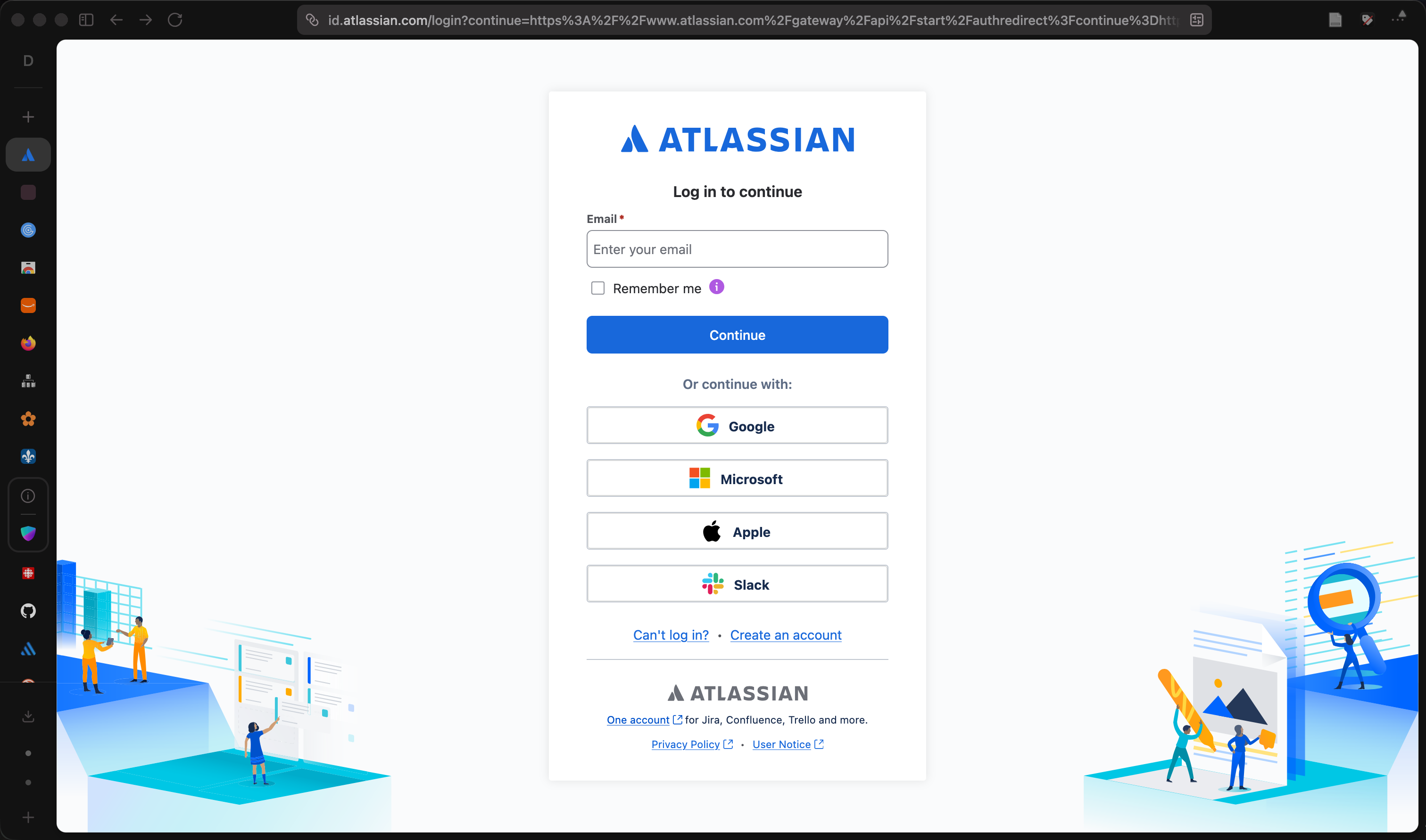
L'idée est que le site Web fait confiance au fournisseur d'authenfication et ne reçoit que peu d'information. (Pas le mot de passe!).
Créer une application OAuth sur GitHub
- Allez dans GitHub → Settings → Developer settings → OAuth Apps
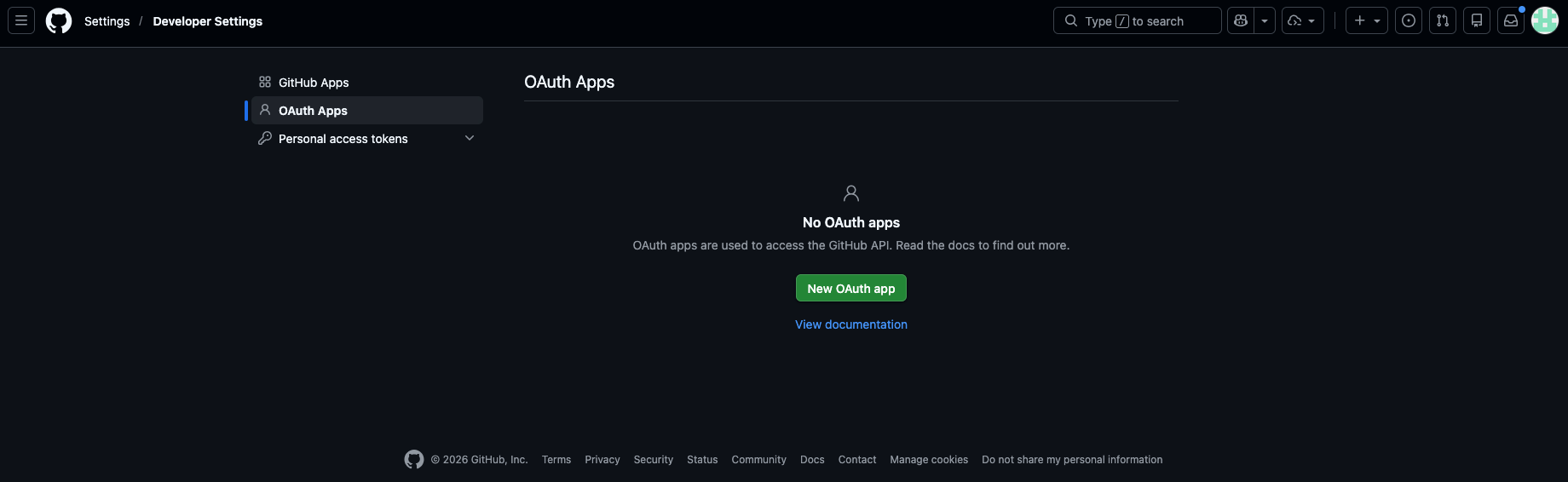
- Cliquez sur New OAuth App
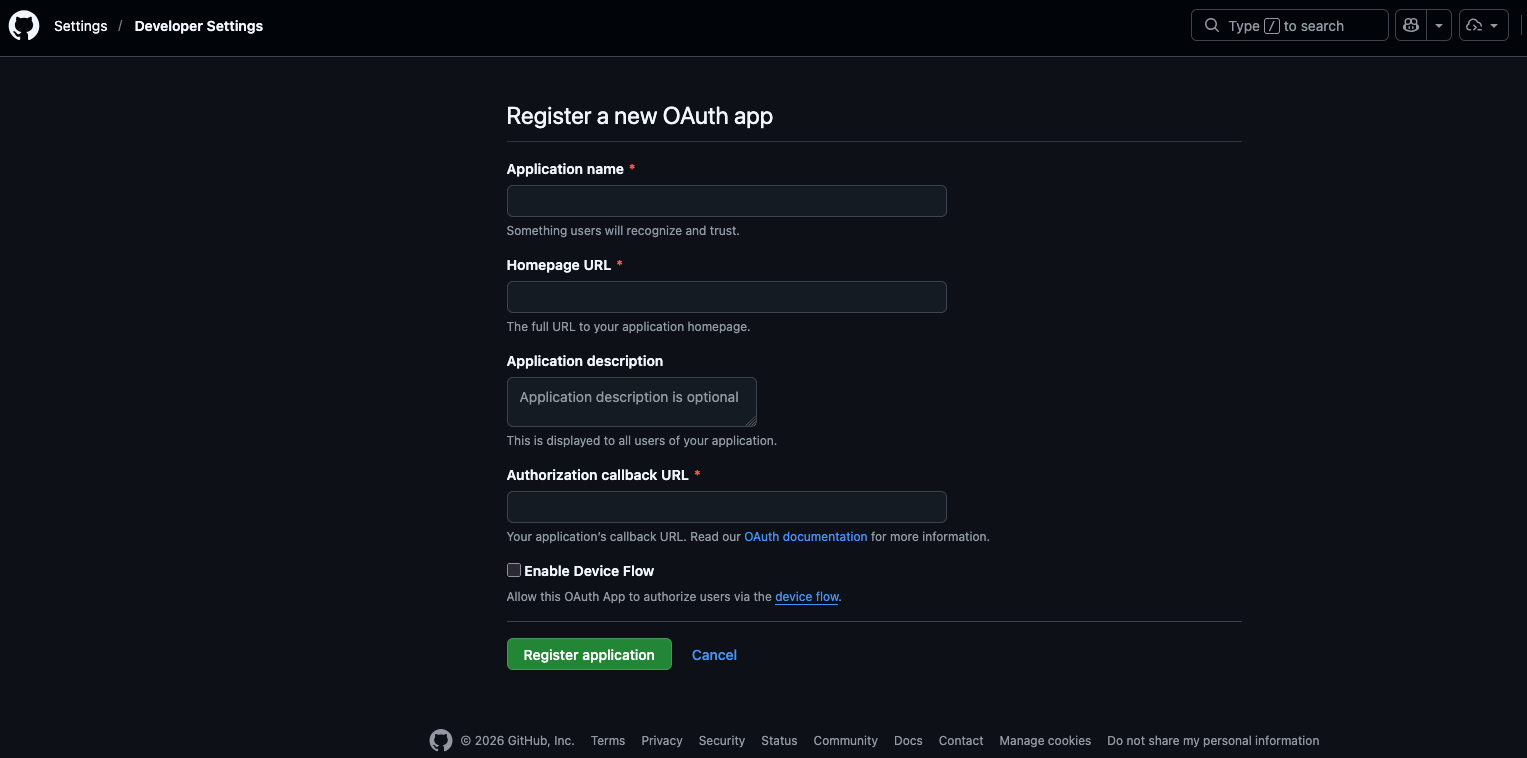
- Remplissez le formulaire :
| Champ | Valeur en développement |
|---|---|
| Application name | Mon App Next.js |
| Homepage URL | http://localhost:3000 |
| Authorization callback URL | http://localhost:3000/api/auth/callback/github |
- Cliquez Register application
- Notez le Client ID et générez un Client Secret
Variables d'environnement
Ajoutez les identifiants GitHub dans votre fichier .env :
.env
BETTER_AUTH_SECRET="généré-par-npx-auth-secret"
BETTER_AUTH_URL="http://localhost:3000"
GITHUB_CLIENT_ID="votre-client-id-github"
GITHUB_CLIENT_SECRET="votre-client-secret-github"
Configuration du fournisseur GitHub
lib/auth.ts
import { betterAuth } from "better-auth"
import { prismaAdapter } from "better-auth/adapters/prisma"
import { nextCookies } from "better-auth/next-js"

import { prisma } from "@/lib/prisma"

export const auth = betterAuth({
  database: prismaAdapter(prisma, {
    provider: "mysql",
  }),
  emailAndPassword: {
    enabled: true,
  },
  socialProviders: {
    github: {
      clientId: process.env.GITHUB_CLIENT_ID as string,
      clientSecret: process.env.GITHUB_CLIENT_SECRET as string,
    },
  },
  plugins: [nextCookies()],
})
Bouton de connexion GitHub
components/icone-github.tsx
export function IconeGitHub(props: React.SVGProps<SVGSVGElement>) {
  return (
    <svg viewBox="0 0 24 24" fill="currentColor" aria-hidden="true" {...props}>
      <path d="M12 .5C5.73.5.5 5.73.5 12c0 5.09 3.29 9.4 7.86 10.93.57.1.79-.25.79-.55 0-.27-.01-1.17-.02-2.12-3.2.7-3.88-1.36-3.88-1.36-.52-1.34-1.28-1.7-1.28-1.7-1.05-.72.08-.7.08-.7 1.16.08 1.77 1.19 1.77 1.19 1.03 1.77 2.7 1.26 3.36.96.1-.75.4-1.26.73-1.55-2.55-.29-5.24-1.28-5.24-5.7 0-1.26.45-2.29 1.19-3.09-.12-.29-.52-1.47.11-3.06 0 0 .97-.31 3.18 1.18a11 11 0 0 1 5.79 0c2.2-1.49 3.17-1.18 3.17-1.18.63 1.59.23 2.77.11 3.06.74.8 1.19 1.83 1.19 3.09 0 4.43-2.7 5.4-5.27 5.69.42.36.78 1.07.78 2.17 0 1.56-.01 2.82-.01 3.2 0 .31.21.66.8.55A11.5 11.5 0 0 0 23.5 12c0-6.27-5.23-11.5-11.5-11.5Z" />
    </svg>
  )
}
components/bouton-github.tsx
"use client"

import { useState } from "react"

import { authClient } from "@/lib/auth-client"
import { Button } from "@/components/ui/button"
import { IconeGitHub } from "@/components/icone-github"

export function BoutonConnexionGitHub() {
  const [enCours, setEnCours] = useState(false)

  return (
    <Button
      type="button"
      variant="outline"
      size="lg"
      className="w-full"
      disabled={enCours}
      onClick={() => {
        setEnCours(true)
        authClient.signIn.social({
          provider: "github",
          callbackURL: "/tableau-de-bord",
        })
      }}
    >
      <IconeGitHub className="size-4" />
      {enCours ? "Connexion en cours..." : "Continuer avec GitHub"}
    </Button>
  )
}
app/connexion/page.tsx
import { BoutonConnexionGitHub } from "@/components/bouton-github"

export default function PageConnexion() {
  return (
    <div>
      <h1>Connexion</h1>
      <BoutonConnexionGitHub />
    </div>
  )
}
Données de session avec OAuth
Après la connexion via GitHub, Better Auth crée automatiquement l'utilisateur (table user) et le lien vers le fournisseur (table account) à partir du profil GitHub :